1
Validate the URL
Only public HTTP and HTTPS links are accepted. Embedded credentials and private-network addresses are rejected, and the browser-only fragment is removed.
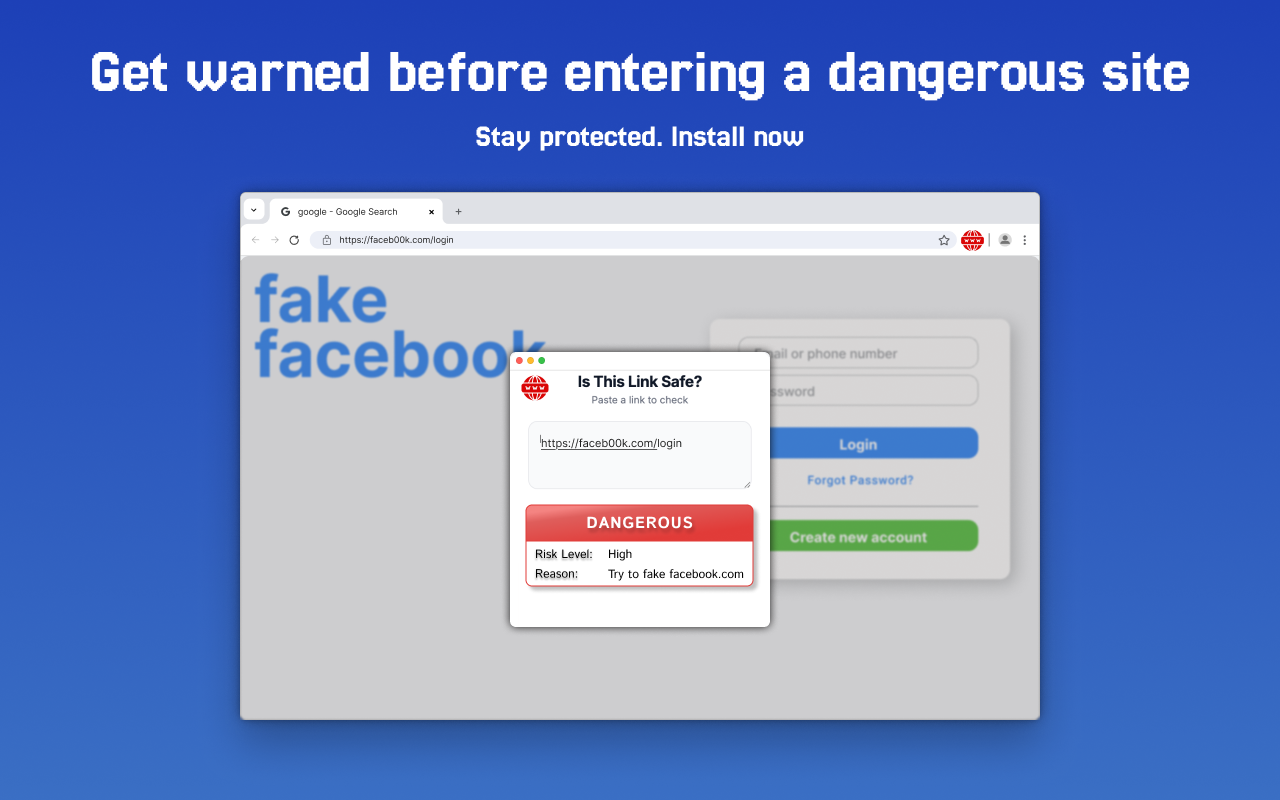
Paste a suspicious link to check it for known phishing or malware listings, lookalike domains, risky hosting signals, and an unencrypted connection.
The destination page is not opened in your browser. The submitted URL is processed by our security services. Read the privacy details.
Get automatic link checks and clear warnings while you browse with our free Chrome extension.
 Add to Chrome - It's Free
The submitted URL is checked against Google Web Risk for known phishing, malware, social engineering, and unwanted-software matches.
The scan checks for lookalike-domain patterns, known domain verdicts, the site's public IP reputation, and an unencrypted HTTP connection.
Results distinguish Safe, Suspicious, Dangerous, and Unknown outcomes and explain which signal produced the verdict.
A transparent check
The checker combines several independent signals. It does not claim that one database can identify every new or carefully disguised threat.
Only public HTTP and HTTPS links are accepted. Embedded credentials and private-network addresses are rejected, and the browser-only fragment is removed.
Known threat records can produce an immediate warning. Local checks also look for domains designed to resemble a popular site through typosquatting.
The domain's public IP can be compared with AbuseIPDB reputation data. A high abuse score is treated as a warning signal, not as proof about every page on that server.
Google Web Risk checks the submitted URL for recognized phishing, malware, social-engineering, or unwanted-software threats before a Safe verdict can be returned.
No checked signal identified a known threat at scan time. This is a risk signal, not a guarantee.
One or more warning signs need review, such as HTTP, a lookalike domain, or risky infrastructure.
A strong threat-list or abuse-reputation signal was found. Do not open the link or enter data.
A required security service did not complete, so the checker deliberately issued no safety verdict.
Practical link-safety resources
Use the checker as one part of a careful decision, then review the evidence and context around the message that delivered the link.
A step-by-step checklist for email, text messages, social media, shortened URLs, and QR codes.
Read the safety guide →Scan one suspicious URL and learn which domain tricks commonly indicate an impersonation attempt.
Check a phishing link →See the exact signal order, verdict rules, privacy trade-offs, and cases a scanner can miss.
Review the methodology →An aggregate snapshot of 3.6 million successful checks and more than one million domain records.
Explore the data →Common questions
No. It means the available checks found no known threat at that moment. Continue to inspect the sender, domain, requested action, and browser warnings.
It does not open the destination in your browser. The service processes the URL, resolves its public IP when possible, and queries security providers.
Do not visit the page, download files, or enter information. Report the message through the platform where it arrived and contact the claimed sender through an independently verified route.
The web checker handles links you paste manually. The extension can check the active page and show a warning as you browse, reducing the need to copy every URL first.
Simple interface. Clear results. Peace of mind.
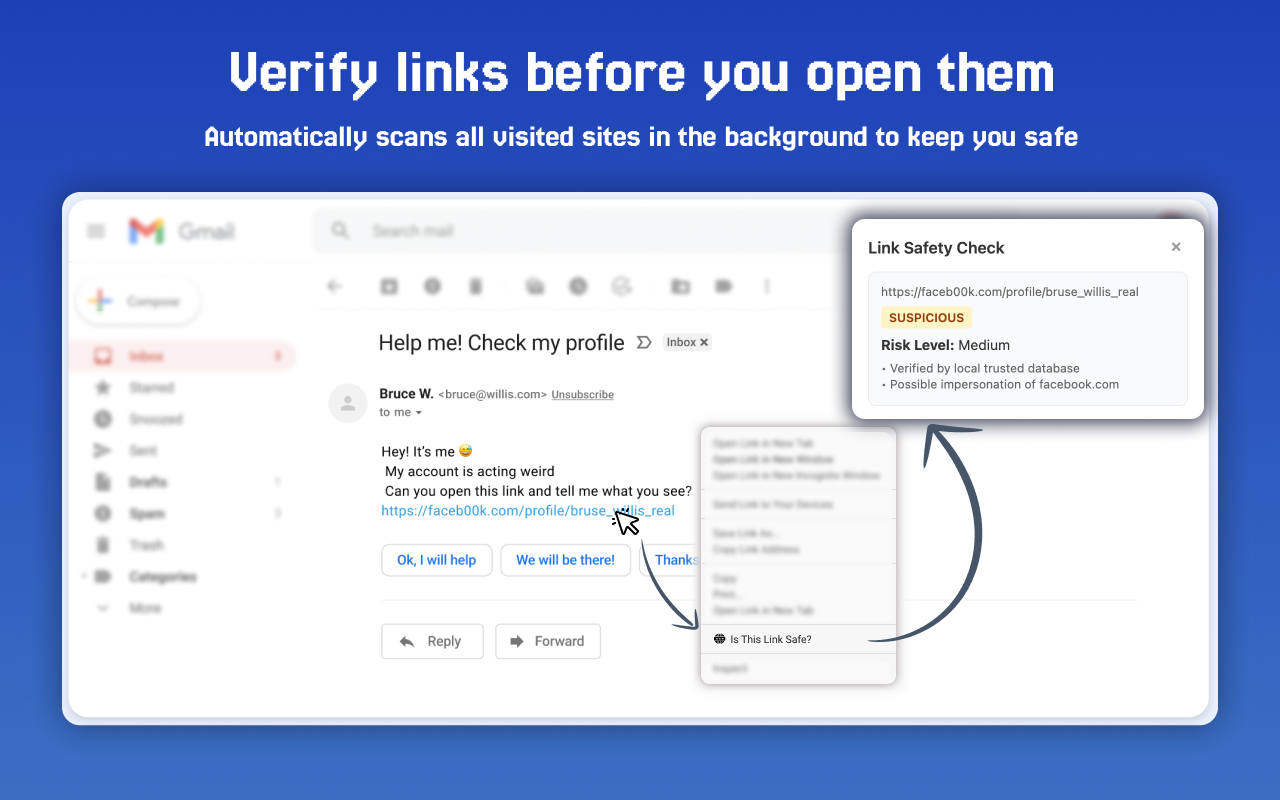
Real-time alerts prevent you from entering malicious websites.